
story | gameplay | thoughts |
level structure | controls | options | credits
BASIC INFO:
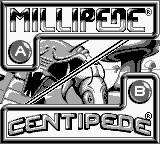
Title ....... Arcade Classic 2: Centipede / Millipede (North America)
Players ..... 1-2
Genre ....... shooter
Subgenre .... vertically oriented shoot 'em up
Platform .... Game Boy (1995)
 STORY:
Bugs are ransacking your mushroom garden.
GAMEPLAY:
These are slightly modified ports of the original 1980 (Centipede) and 1982 (Millipede) Atari arcade games. How much is modified, I cannot say--I don't remember playing the original arcade versions. I rather suspect the main difference is the addition of a 2-player mode in Millipede and three 2-player modes in Centipede (alternate, compete, and team).
Centipede and Millipede are remarkably similar games. In both games, you control a canister of pesticide and are tasked with protecting your mushroom garden from various invasive pests. Your minimalist screen is dotted with mushrooms, a centipede (or millipede), and various other creepy-crawly themed enemies. Because bugs are so totally gross, you must avoid touching any of them, lest you lose a life. Fortunately, you can move your canister freely around the bottom 1/3 of the vertically-oriented screen (that is, across the entire width, as well as up and down 1/3 of the height of the screen).
The titular centipede is made of 9 segments (the millipede is made of 10, and gets larger as levels progress). Each segment must be destroyed individually. If you destroy a middle segment, you will in effect create two independently moving centipedes (millipedes) as the estranged segment will create a head from one of its existing segments. Just like in real life.
The 'pede spawns at the top of the screen and moves to the left or right and, upon hitting a wall or normal mushroom, it drops down a row and switches directions. Upon reaching the bottom of the screen, it will start to move back up, but it will never leave the player area. If you fiddle-fart around, letting a 'pede stay in the player area too long, 1-segment 'pedes will be added to the player area until they kill you or you kill them.
In Centipede, other enemies include spiders, fleas, and scorpions. Spiders move across the player area in a zig-zag pattern, eating mushrooms as they go. Fleas drop straight down from the top of the screen, quickly, planting mushrooms as they go. Scorpions move horizontally across the screen, slowly, and poison any mushrooms they touch; when a centipede touches a poisoned mushroom, it will move straight down to the player area.
In Millipede, other enemies include spiders, earwigs, bees, dragonflies, inchworms, beetles, and mosquitos. The spider works the same as it did in Centipede, although there are more of them on the screen at a single time. The earwigs and bees work just like Centipede's scorpion and fleas, respectively. Dragonflies move about in a zigzag pattern, leaving mushrooms in their wake; inchworms move rapidly across the screen but will slow enemies if you manage to shoot them; beetles go straight to the player area to be annoying and, if left alive, will turn mushrooms into indestructible dandelions; and mosquitos will bounce around annoyingly and, if shot, will move everything up a row.
There are two more notable elements in Millipede. First, the screen scrolls. When you kill a millipede, everything on the screen scrolls down a row. This is handy for getting rid of dandelions and poisoned mushrooms. It also gives you a steady supply of the other notable element, the DDT item, which scrolls in from the top of the screen. If you shoot a box of DDT, a cloud will appear that kills any enemy or mushroom caught in it. It sticks around for a few seconds, so you might have an entire millipede walk into it.
There are a few more quirks to the play of these games, but that about covers the essentials.
THOUGHTS:
I think these 2 games hold up surprisingly well. I can still get 5 to 30 minutes of play from them, trying to do just a little better than last time. I prefer Centipede over Millipede--even though Millipede should theoretically be more interesting due to having more elements, Centipede has that sort of Tetris-like simplicity that lends to a sort of meditative play.
However, the Game Boy ports are...well, not the best. Better to play the official browser version (Centipede, Millipede) or any of the various ports to Nintendo, Sony, Sega, or Apple handhelds.
LEVEL STRUCTURE:
When you destroy an entire centipede (or millipede), you proceed to the next level. As levels progress, more enemies spawn, enemies move faster, and centipedes (or millipedes) spawn with more heads. In millipede, every few levels you are preiodically treated to a "bonus round" of sorts, where you are faced with a swarm of non-millipede enemies. You can score many points here, if you don't get killed.
CONTROLS:
D-pad .... move cursor or pesticide can (both games); choose difficulty level (Centipede only; only when menu is available); change score (Millipede only, only when menu is available)
select ... choose difficulty level (Centipede only; only when menu is available)
start .... confirm menu choice (both games)
A ........ spray pesticide (both games)
B ........ spray pesticide (both games)
OPTIONS:
Centipede: Before starting a game, you can choose your difficulty from novice (start on level 1), standard (10), advanced (19), or expert (28).
Millipede: Before starting a game, you can change the number of points you start off with (between 0 and 100k, in intervals of 10k). This effects what level you start off on. You can start off as high as level 20 (100k points) or as low as level 1 (0 points). Furthermore, if you score higher than 100k points, when you restart a game, you can start off near that score.

