Showing posts with label Npov. Show all posts

1.26.2010

Breakthru!


story | gameplay | thoughts |
level structure | controls | options

BASIC INFO:
Title ....... Breakthru! (North America)
Players ..... 1-2
Genre ....... puzzle
Sub-genre ... falling tile, matching tile, tile removal
Platform .... DOS (1994), Game Boy (1995), SEGA Saturn (1995), SNES (1994) and Windows 3.x (1994)


The Soviet Mind Game's little cousin.STORY:
None.


GAMEPLAY:
Your goal in Breakthru! is to remove all tiles from the playing field. You begin with a screen that is filled with tiles. There are regular tiles which can be differentiated by pattern (as the Game Boy was monochromatic). You can remove these tiles by clicking on any group of them, even if the group is composed of only 2. When removed, tiles from above fall down, creating new groups that can be removed.

You may have played this before under the name ChainShot! or SameGame. If you have, you'll know it can get very difficult to destroy the last few tiles. Thus, it is helpful that new tiles are constantly falling from the top of the screen. You can force drop these pieces by holding down B and pressing down on the D-pad; you can also position them by holding down B and pressing left or right on the D-pad.

To make it even easier, you have special tiles. These include:
  • wild cards: allow you to destroy all tiles of one type (rare)
  • rockets: flies in 1 direction and destroys all tiles in its flight path
  • bombs: You can choose to detonate any bomb that reaches the bottom row of the playing field. It will destroy every adjacent tile, including diagonally adjacent tiles. If a bomb is one of those diagonally adjacent tiles, it, too, will detonate, following the same rules. If two bombs ever actually touch (diagonals not included) they will automatically detonate.
Another special tile is included whose only purpose is to make things difficult. This is the weight, an obnoxious tile that can only be destroyed by rockets and bombs. Weights must be destroyed in order to proceed to the next stage.

There are also spiders. These are not tiles, and do not need to be destroyed in order to clear a stage. However, they can be destroyed by special tiles such as rockets or bombs. You may want to do this as spiders get in the way of your falling blocks, making it difficult to clear the field.


THOUGHTS:
First things first: if you have full color vision, you probably would prefer a different version of Breakthru!. The monochrome version of the game really tires your eyes out. Unfortunately, the color versions I've seen screenshots for (SNES, Windows 3.x) are not color-blind friendly.

As for the game itself, well...how do you like your SameGame? Personally, I prefer that my falling block puzzles be endless, so Breakthru! is an improvement over the original SameGame rules, where your puzzle ends as soon as you clear or fail to clear the field. However, I think I may prefer the more classic "endless" SameGame rules variant, described on Wikipedia as such:
    "In an "endless" variant, the game starts with an empty field. The blocks or balls start falling down; but if they reach the top, new blocks stop falling, so they do not overflow—thus, the game never ends. The player can end the game at any time by waiting for blocks to reach the top, then performing a special action (for example, right-click instead of left-click)."
On the other hand, I really do like the introduction of special tiles and the spider. These really do change the game in an interesting way, motivating me to plot out my moves in a way the regular game doesn't.

I think, in the end, I'd like to see a reintroduction of Breakthru with a combination of the gameplay from the Game Boy game and the "endless" gameplay described in the above quote. As the player reaches a certain score point, special tiles would generate at different rates (weights becoming more common, for instance), and spiders would spawn where a tile just disappeared.


LEVEL STRUCTURE:
[world #] [level NAME] [round #]

There are 4 "worlds" (for lack of a better term). The first level of every world is called Berlin. In Berlin (as in each of the 6 levels) you play 4 rounds. After you complete the 4th round, you get a "Level Complete" message and move onto the next level. The levels are, in order: Berlin, London, S.F., Moscow, N.Y., and Beijing. There are 98 total rounds on any single difficulty level.

Upon beating 4 Beijing 4, you loop back around to 4 Berlin 1.


CONTROLS:
  • D-pad ... move cursor; (while holding B) position falling puzzle tiles
  • select .. none
  • start ... pause or unpause
  • A ....... press on tiles to make them disappear (regular tiles in groups) or to detonate them (rockets, bombs)
  • B ....... toggles control from the puzzle playing field to control of the falling tiles; must HOLD B down in order to move the falling tiles
  • A + B ... press simultaneously to place a partial grid on the playing field to help you place falling tiles


  • OPTIONS:
    There are 3 difficulty settings (easy, normal, hard). There are 3 time settings (2, 5, and 10 minutes). Music can be toggled on and off. Sound effects can be toggled on and off. The puzzle background can be toggled on and off (fortunate, because it is very distracting. Credits can be accessed at any time from the options menu.


    1.19.2010

    InfoGenius Productivity Pak: Frommer's Travel Guide


    story | gameplay | my thoughts |
    level structure | controls | options

    BASIC INFO:
    Title ....... InfoGenius Productivity Pak: Frommer's Travel Guide
    Players ..... 1
    Genre ....... Nongame
    Subgenre .... Utility
    Platform .... Game Boy (1991)


    STORY:
    Not applicable.


    GAMEPLAY:
    At the menu screen, use the D-pad and A button to choose "CITIES" or "800#'S". In CITIES, scroll up and down using the D-pad to choose one of the 15 U.S. cities. Press select to get a brief travel guide synopsis of the city ("This place is great! Come spend your money here!"). Press A for access to information that might have been useful to travelers in 1991, including names, addresses, phone numbers, prices, and methods of payment accepted by hotels, restaurants, shops, transportation, tourist traps, and so on.

    "800#s" is a repository of toll free numbers for various would-be-useful places and services.


    THOUGHTS:
    This is an interesting but completely useless relic that only the hardcore collector should seek. The passage of time has rendered much of the information on the cartridge obsolete. Obviously, if you were genuinely interested in this kind of software, you can find a better product (one that is prettier, more easily navigable, includes more and better information, and is more customizable) for a smaller and rechargeable modern device.


    LEVEL STRUCTURE:
    None.


    CONTROLS:
    D-pad .... move cursor
    select ... learn more about a city; learn more about a business
    start .... no apparent use
    A ........ make choice
    B ........ cancel choice; go back


    OPTIONS:
    No options.


    InfoGenius Productivity Pak: Personal Organizer


    story | gameplay | my thoughts |
    level structure | controls | options

    BASIC INFO:
    Title ....... InfoGenius Productivity Pak: Personal Organizer (North America)
    Players ..... 1
    Genre ....... nongame
    Subgenre .... personal organizer
    Platform .... Game Boy (1991)


    InfoGenius: Turning your retro gaming device into a worthless piece of shit!STORY:
    None.


    GAMEPLAY:
    Keep appointment notations on an electronic calendar, review those appointments and/or the calendar, maintain a phone directory, access a list of (totally obsolete) toll-free phone numbers, find out what time it is in another part of the world, use a calculator, make notes in the notepad.


    The 800 numbers are good, but I really want some 900 numbers.THOUGHTS:
    This provides you with nothing that you can't do better on your computer or laptop--or phone, iPod, or jailbroken gaming device.


    LEVEL STRUCTURE:
    There are none.


    CONTROLS:
    D-pad .... move cursor; see next/previous month/year on calendar; change date
    select ... move cursor when typing on notepad
    start .... return to previous menu screen
    A ........ choose menu option; enter letter/number
    B ........ delete letter/number


    OPTIONS:
    Nope.


    InfoGenius Productivity Pak: Spell Checker and Calculator


    story | gameplay | my thoughts |
    level structure | controls | options

    BASIC INFO:
    Title ....... InfoGenius Productivity Pak: Spell Checker and Calculator
    Players ..... 1
    Genre ....... nongame
    Subgenre .... general utility
    Platform .... Gameboy (1991)


    STORY:
    None.


    GAMEPLAY:
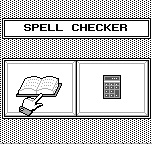
    As the name indicates, this includes both a spell checker and a calculator. The spell checker allows you to type in a word to have it checked against the software's word bank. Since this was published in 1991, the neologisms of the last 20 years are not included in the word bank; you will be unable to check the spelling of your BLOG or TRUTHINESS here. No, you cannot even find your INTERNET.

    The word bank, of course, is censored to remove obscenities and racial slurs. I approve of this, as it is hilarious when someone tries to be offensive and cannot spell their insults correctly.

    Of course, if you are reading this, then chances are that most of your programs already have built-in spell checkers. Not only that, but they likely check your spelling as you type--not just in word processors, but in your browser, instant messaging, and such whatnot hip internet stuff. And, of course, dictionary.com is always a couple of clicks away.

    The calculator allows you to perform the 4 basic arithmetic operations; it also lets you find square roots. It does not follow the order of operations and there are no parentheses.


    THOUGHTS:
    This is an interesting curiosity for the collector--well, the spell checker's word bank is, anyway. The calculator's a joke (just buy a $2 relic from your local Goodwill if you don't already own a cellphone). As for the non-collector, this is worthless, like most retro non-games.


    LEVEL STRUCTURE:
    Nope.


    CONTROLS:
    D-pad .... move cursor
    select ... return to previous menu screen
    start .... choose menu option
    A ........ choose a letter
    B ........ backspace


    OPTIONS:
    Not really.


    InfoGenius Systems: Berlitz French Translator


    story | gameplay | my thoughts |
    level structure | controls | options

    BASIC INFO:
    Title ....... InfoGenius Systems: Berlitz French Translator
    Players ..... 1
    Genre ....... nongame
    Subgenre .... language software, foreign language aid, french
    Platform .... Game Boy


    STORY:
    None.


    GAMEPLAY:
    Choose a "side" of the dictionary/translator: English-to-French or French-to-English. Whichever side you choose, you are prompted to choose "WORDS", "PHRASES", "NUMBERS", or "CONVERSATIONS". Further explanation below:
      WORDS: Type in a word to get the French (or English) equivalent. For example, after choosing English-to-French, a search for "LIGHT" gives the response:
        ALLUMER (V)
        CLAIR (ADJ)
        LÉGER (ADJ)
        LUMIÈRE (F)
      One assumes that ALLUMER is the verb "to light", CLAIR and LÉGER are adjectives, and LUMIÈRE is a feminine noun. There is no distinction made between the two adjectives, so the reader has to guess which mean "not heavy" and which means "not dark".

      Male nouns are indicated with the parenthetical notation (M). Adverbs are indicated with (ADV). Articles with (ART), and so on.

      PHRASES: If you have ever looked at a "Pocket guide to French", you can pretty much guess what this part looks like. There are 7 basic options (BASICS, TRANSPORTATION, RELAXING, SHOPPING, EMERGENCIES, EATING OUT, or ACCOMODATION), each of which opens up to 3 more options. Once you find the actual phrases, 3 clicks in, you must press down and up on the control pad to look at different ones. (For the record, "I DON'T UNDERSTAND" is under BASICS: LANGUAGES.)

      NUMBERS: Type in a number on a number pad. You will get the written equivalent in either French or English, depending on which side of the dictionary you are on.

      CONVERSIONS: Currency and metric converters. The currency converter is hilariously outdated and useless, though kind of quaint. The metric converter is actually useful. The English-to-French side will convert miles to kilometers, M/H to KM/H, and Fahrenheit to Celsius; the French-to-English side does it in reverse.


    THOUGHTS:
    This may be interesting to the advanced English/French student, particularly if French is the L1. If my experiences with Spanish textbooks from the era are anything to judge by, it's possible that the French word bank contains words or phrases that were humorously outdated at the time the game was published; it's also likely the word bank was inconsistent in what Francophone countries it took vocabulary from.

    It may also be of interest to the average language nerd. It gives a snapshot of what sort of phrases, in 1991, were considered "basic" to the traveler. It also shows you what sort of words and phrases were not yet considered words (internet) or culturally important enough to be worthy of inclusion (video game, videogame). Even the censored words are interesting.

    LEVEL STRUCTURE:
    No levels here.


    CONTROLS:
    D-pad .... move cursor
    select ... return to previous menu screen
    start .... choose menu option; enter word/number
    A ........ choose menu option; choose letter, choose number
    B ........ backspace


    OPTIONS:
    Nope.


    1.15.2010

    Mary-Kate and Ashley: Pocket Planner


    story | gameplay | my thoughts |
    level structure | controls | options

    BASIC INFO:
    Title ....... Mary-Kate and Ashley: Pocket Planner (North America, Europe)
    Players ..... 1 (with limited multiplayer functionality)
    Genre ....... edutainment
    Subgenre .... organizer
    Platform .... Game Boy Color (2000)


    STORY:
    None.


    GAMEPLAY:
    Upon starting the software for the first time (or everytime after the battery dies), you are prompted to set the date and time. Then, you are asked for your first name, middle name, last name, street address, zip code, city, state, phone number, birthday, favorite color. You can skip all of these except entering your first name.

    In the main menu, there are 6 options:
    • Calendar: Look at the calendar, add and edit events.
    • Friends: Reveals a submenu with 4 choices -
      • G-mail: I'm taking a guess here, but I think this is something that lets you send messages to friends with a copy of the game.
      • Friends: Maintain an address book.
      • About You: You can edit your details here.
      • Match Up: Have a friend type in the same stuff you did when you first booted up the game. You will then be told how much you have in common.
    • To Do: Stuff that is on the calendar for you to do today.
    • Fun Stuff: Reveals a submenu with 6 choices -
      • Games: Reveals a submenu with 4 choices.
        • Drop to Shop: Help MK and Ashley shoplift! Catch the goods that one of them drops, while avoiding mops.
        • Fash Machine: Slots. You aren't actually betting anything, though.
        • Sliders: A 4x4 sliding puzzle.
        • Match 'em: Memory. 30 cards are turned, face down. You turn them over, 2 at a time, trying to make matches. Matches are removed, non-matches are flipped back onto their face.
      • Crush: A "Crush Indicator". You are instructed to point the Game Boy and press A, with the implication that you will find out whether or not the person you are pointing at has a crush on you. Apparently, my laptop has a pretty big thing for me (I love you, too, Lappy).
      • Ask Ashley: Magic 8 ball, essentially.
      • Clue: A pet sim. Feed and play with a dog named Clue.
      • Sun Sign: A horoscope...thing. No, it doesn't tell you how your day will be in vague terms. It tells you how compatible you are with people of other signs.
      • Pic Gallery: View pictures you unlock. Gamefaqs indicates that a new picture is unlocked for every 10k points you win in games, and that 16 pictures can be unlocked in this manner.
    • Tools: Reveals a submenu with 6 options -
      • Stopwatch: It's a stopwatch. Does not show time until you stop it.
      • Phone Dialer: Apparently designed to dial phone numbers for you by screeching into a handset. Kind of neat, if not entirely practical.
      • Beam: Appears to be some sort of multiplayer connectivity.
      • Clock: It's a clock.
      • About You: Like the one above, it allows you to reset (or set for the first time) information about yourself.
      • Help: A small, in-game manual.
    • Options: The option menu lets you adjust music and sound. It also lets you change the date and time, and shows you how much memory is taken up by all the stuff you've typed into the software. There's also a mysterious "color" setting, which has "on" and "off" options, but it doesn't seem to do anything.
    This software is compatible with the Game Boy Printer. On the vast majority of screens, there is a print button, allow you to...well, print stuff, I assume.


    THOUGHTS:
    This is one for the collectors. I particularly like the Phone Dialer (haven't used a landline since I was a kid) and the in-game manual (still waiting for this to become standard).

    The games are terrible. If you just want a fun game, don't get this.


    LEVEL STRUCTURE:
    There are levels in the shoplifting game.


    CONTROLS:
    D-pad .... move cursor
    select ... main menu
    start .... start screen
    A ........ confirm choice
    B ........ cancel


    OPTIONS:
    You can turn music on or off. You can turn sound on or off.